Connect an anime tracker
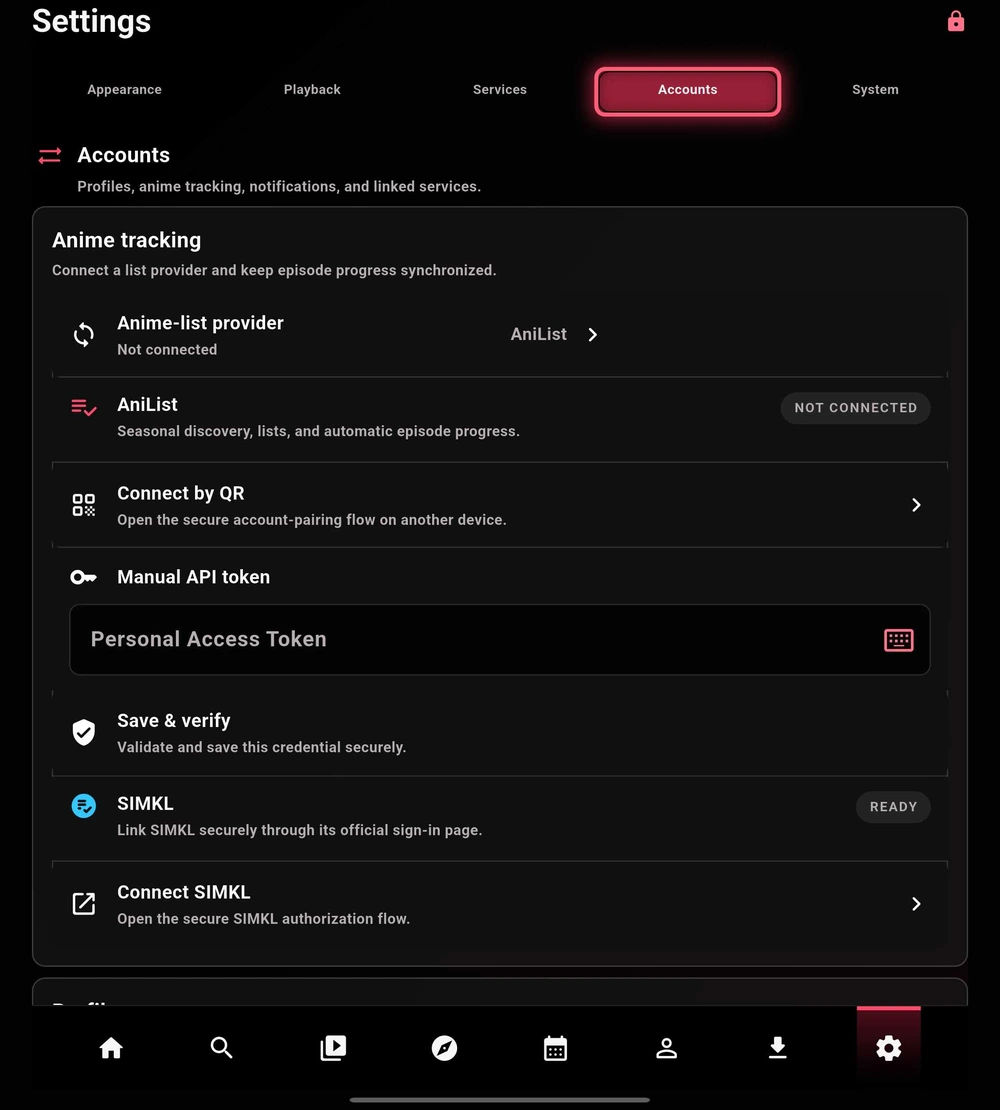
- Choose the supported tracker you use in Anime tracking. Options shown in this guide include AniList, MyAnimeList, and SIMKL.
- Start Connect by QR or the connection action for that service. Review the service and account before authorizing.
- Return to TetoTV and confirm the connected state. Check your list before changing progress.
SIMKL uses its official TV PIN flow in current referenced builds. Its availability depends on the app deployment being configured for SIMKL. A missing connection option is not a request for a personal client secret.
Use a local profile
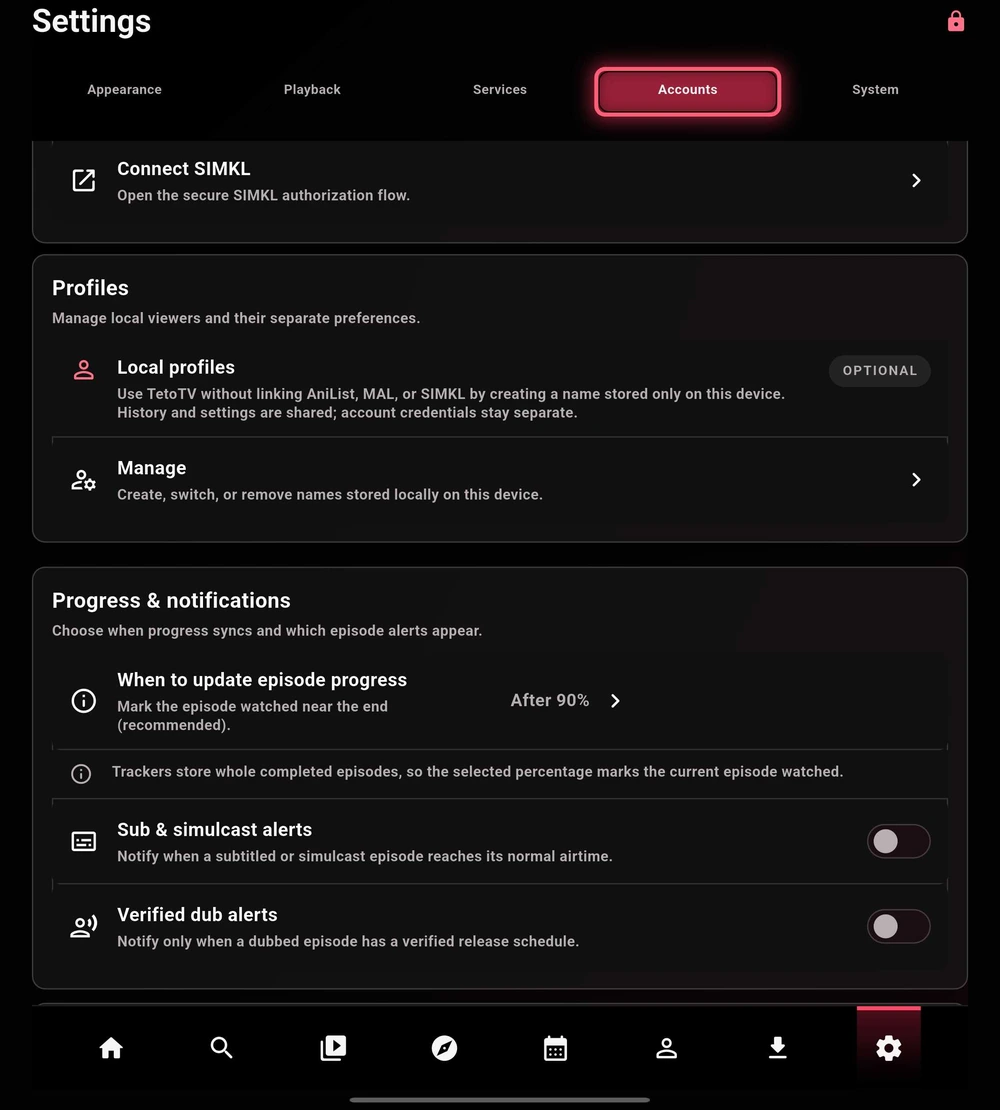
Tracker accounts are optional. Open Profiles → Manage to create, switch, or remove names stored on this device.
In the captured Beta, local profile names are not a promise of fully isolated histories and settings: the app describes history and settings as shared while account credentials remain separate. Check the profile behavior in your installed build.
Progress & notifications
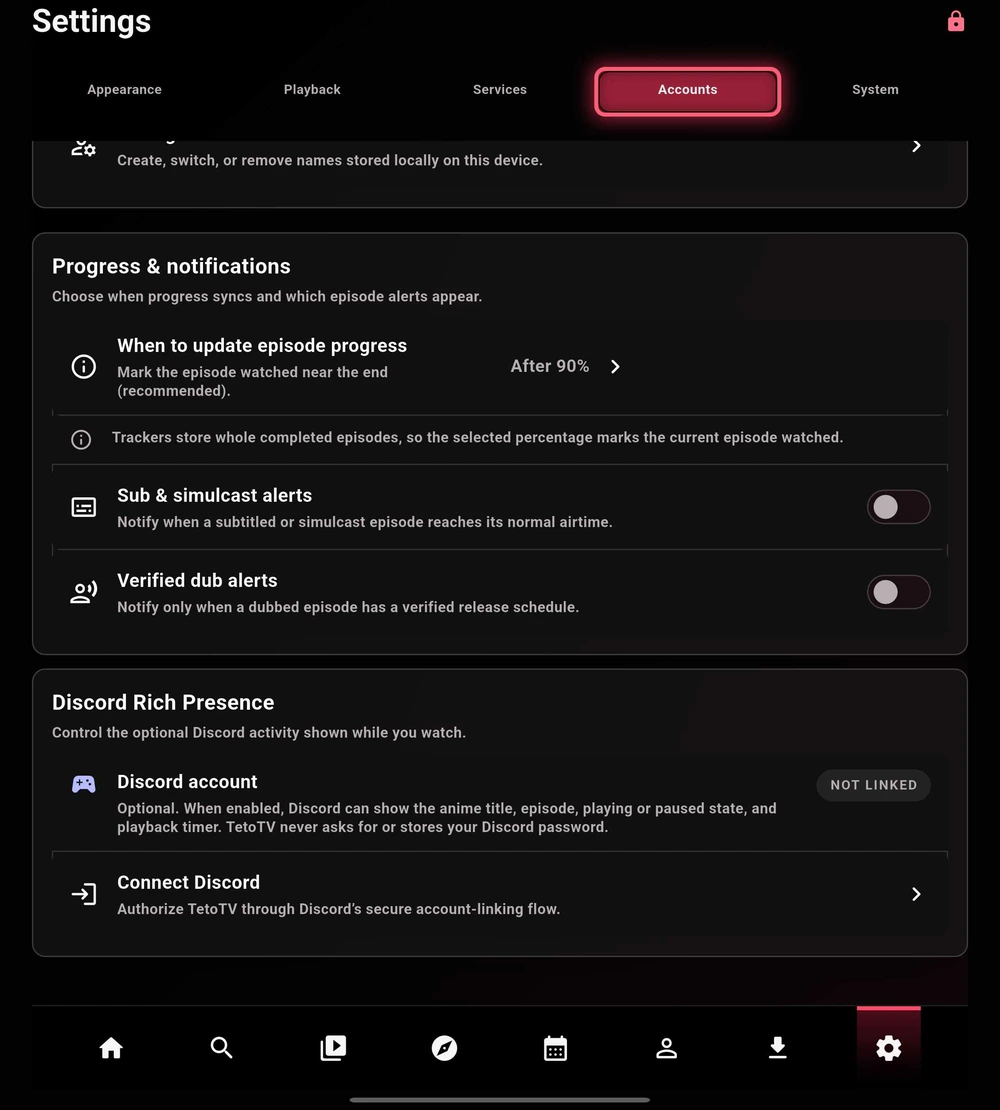
When to update episode progress controls when an episode is marked watched for a tracker. The captured screen shows a 90% threshold. Trackers store completed-episode counts, so this is different from a second-by-second playback position.
Sub/simulcast alerts and verified dub alerts are independent choices. Dub alerts require a verified dub schedule; TetoTV does not infer one from the Japanese broadcast time.
Discord Rich Presence
Link Discord only when you want to share activity. When enabled, the app can display the title, episode, playback state, and timer. Review the available presence controls after linking.
Use the official authorization flow and do not enter your Discord password into a TetoTV token or source field. Linking Discord is separate from joining the community server.