
Get to know Home
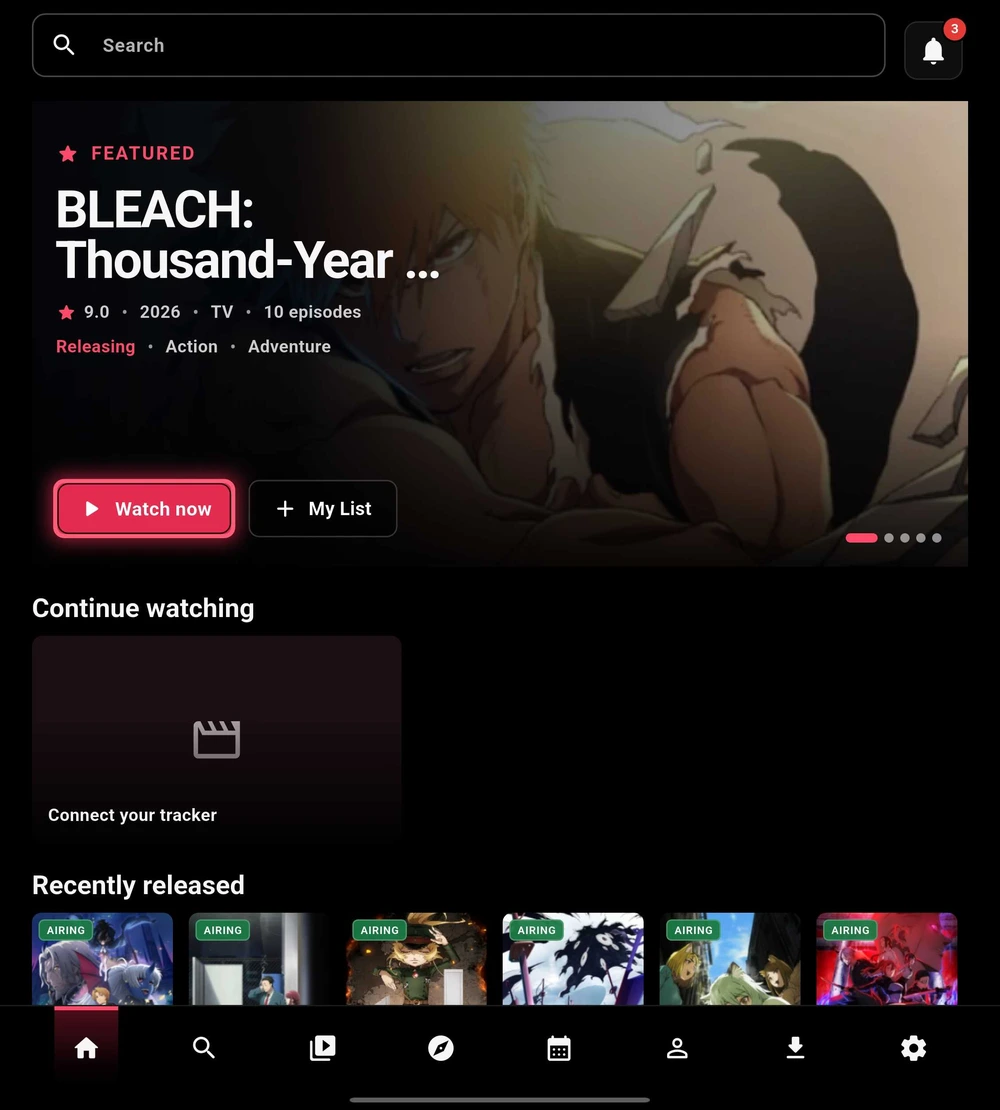
Home brings featured titles, recent releases, and your enabled shelves into one place. The exact layout depends on your device and Appearance settings.
- Choose a featured title or poster to open its details.
- Use Continue watching to return to available recent progress.
- Use My List to open your lists and tracking views. Linked accounts and local state affect what appears.
Phones use bottom navigation in portrait. Larger or landscape layouts may use a left navigation rail.
 Enlarge
Keep your lists connected
Optional AniList, MyAnimeList, and SIMKL connections bring tracking into the app. Link the account you actually use in Settings → Accounts, and confirm that the intended account is active before changing list status or episode progress.
Choose what appears on Home
Open Settings → Appearance to adjust the layout, navigation, and supporting details. In Home shelves, show or hide rows and move useful ones toward the top.