
Seanime extension compatibility
TetoTV is compatible with Seanime extensions. Its built-in compatibility layer runs supported Seanime-format online-stream providers directly on your Android device. You do not need to install Seanime or run a separate Seanime server.
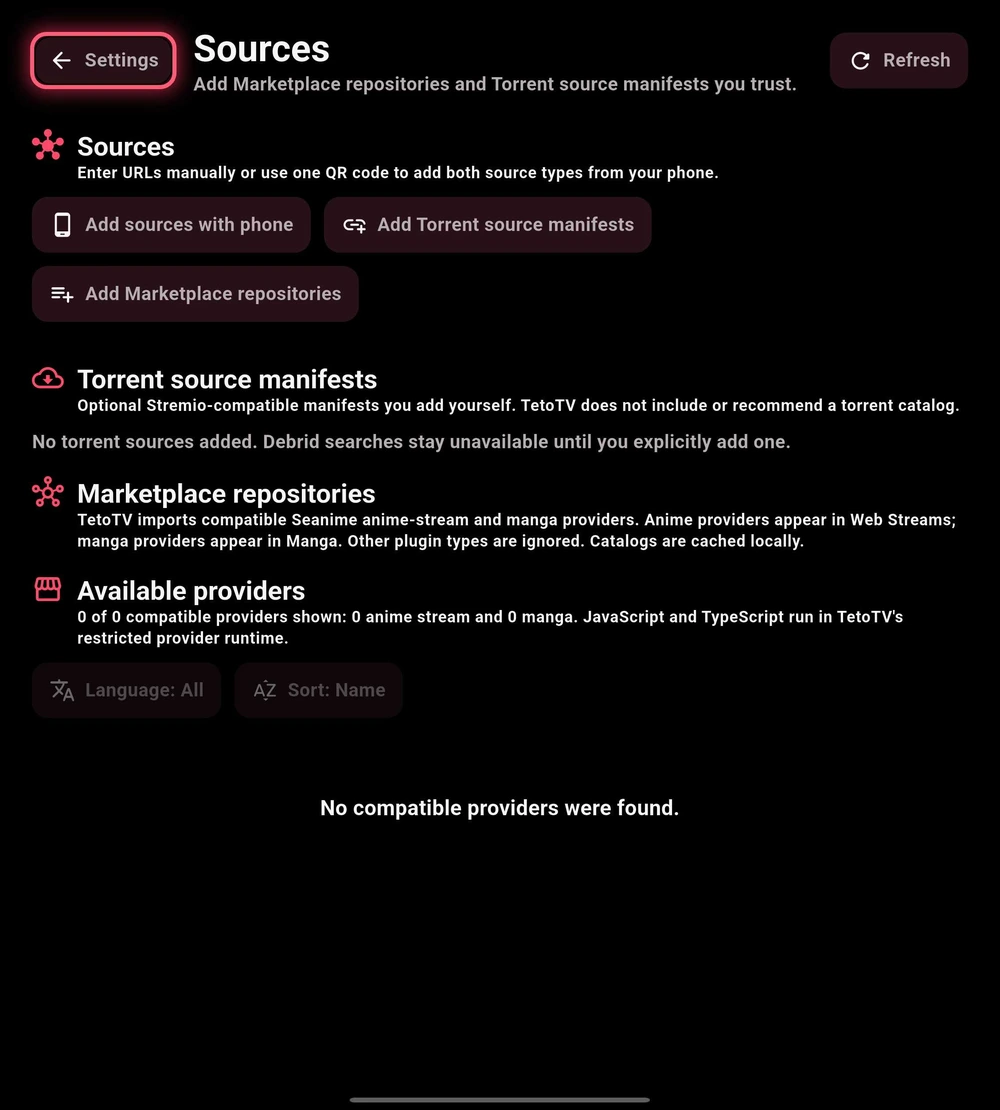
Add your chosen compatible HTTPS repository in Settings → Services → Manage sources, then review and install the providers you want to use. You can also enter repository addresses through Add sources with phone.
Seanime-format manga extensions use the separate Developer Mode manga preview, not the anime streaming provider list. That preview supports compatible manga-provider extensions; Tachiyomi/Mihon Android APK extensions are not supported.
Understand the three parts
Repository
The catalog address you add.
Provider
The compatible Seanime-format extension you install.
Source
An episode result you choose to play.
A Marketplace repository lists compatible extensions; it is not itself a playable stream. A torrent source manifest is a separate configuration type. Adding either does not connect a tracker account or grant access to paid content.
Add a repository or manifest
- Open Settings → Services → Manage sources.
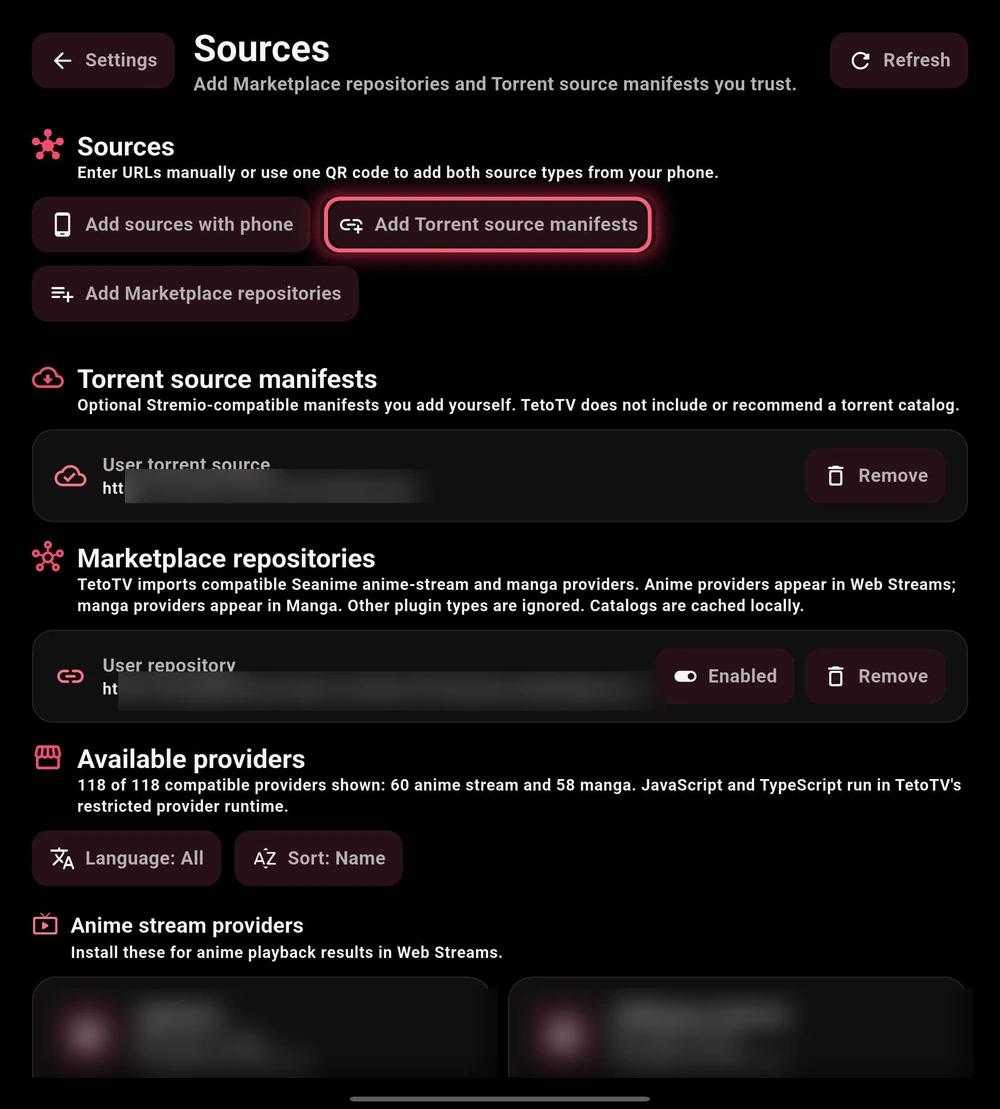
- Choose the relevant Marketplace repository or torrent source manifest action. Paste the compatible HTTPS address from a source you trust.
- Alternatively, use Add sources with phone to enter the address in a paired browser.
- Review the saved entry and its state. A correctly saved address can still return no compatible providers.
Install a Seanime-compatible provider
- Find the provider under Available providers. Use supported filters to narrow the list.
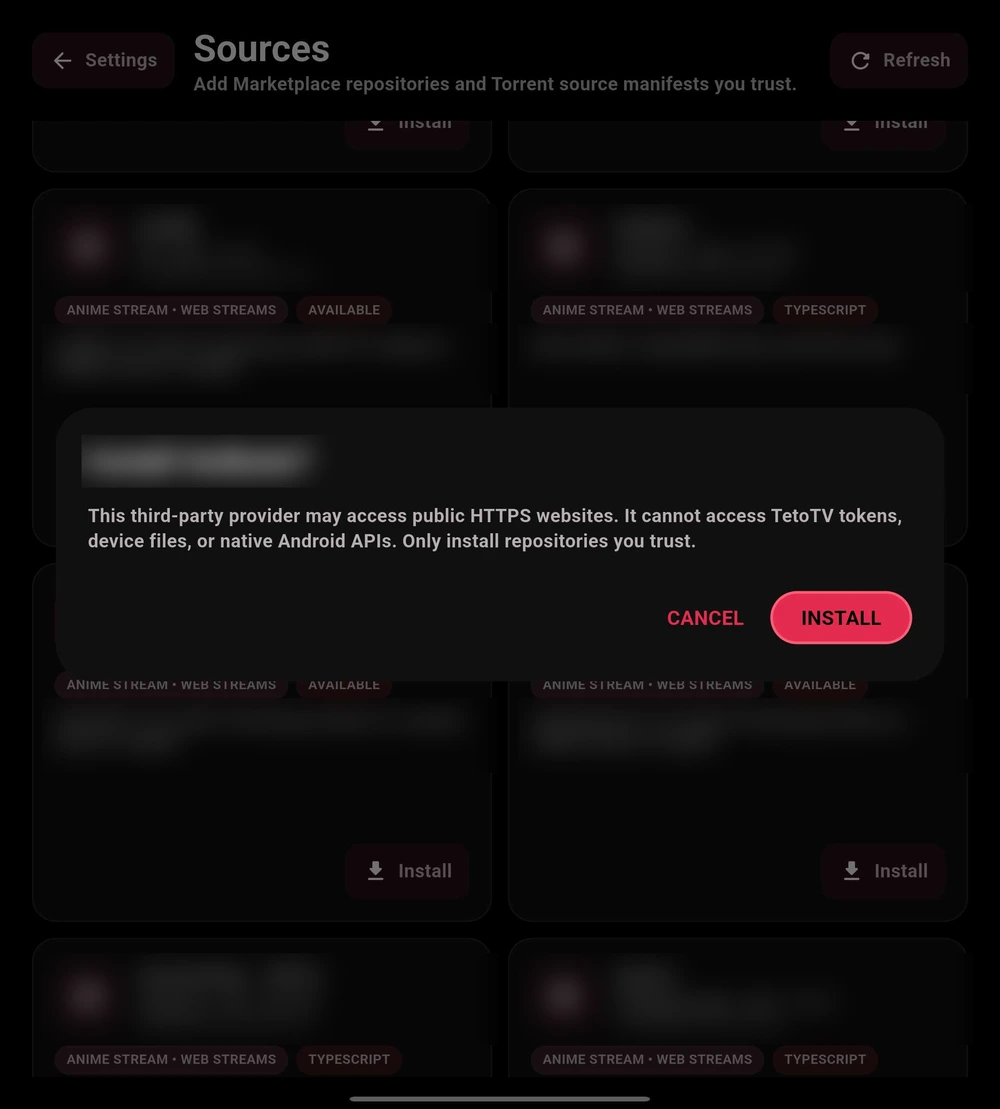
- Review its name, type, version, description, and origin. Do not assume that appearing in a catalog means TetoTV has reviewed it.
- Choose Install and read the confirmation before approving.
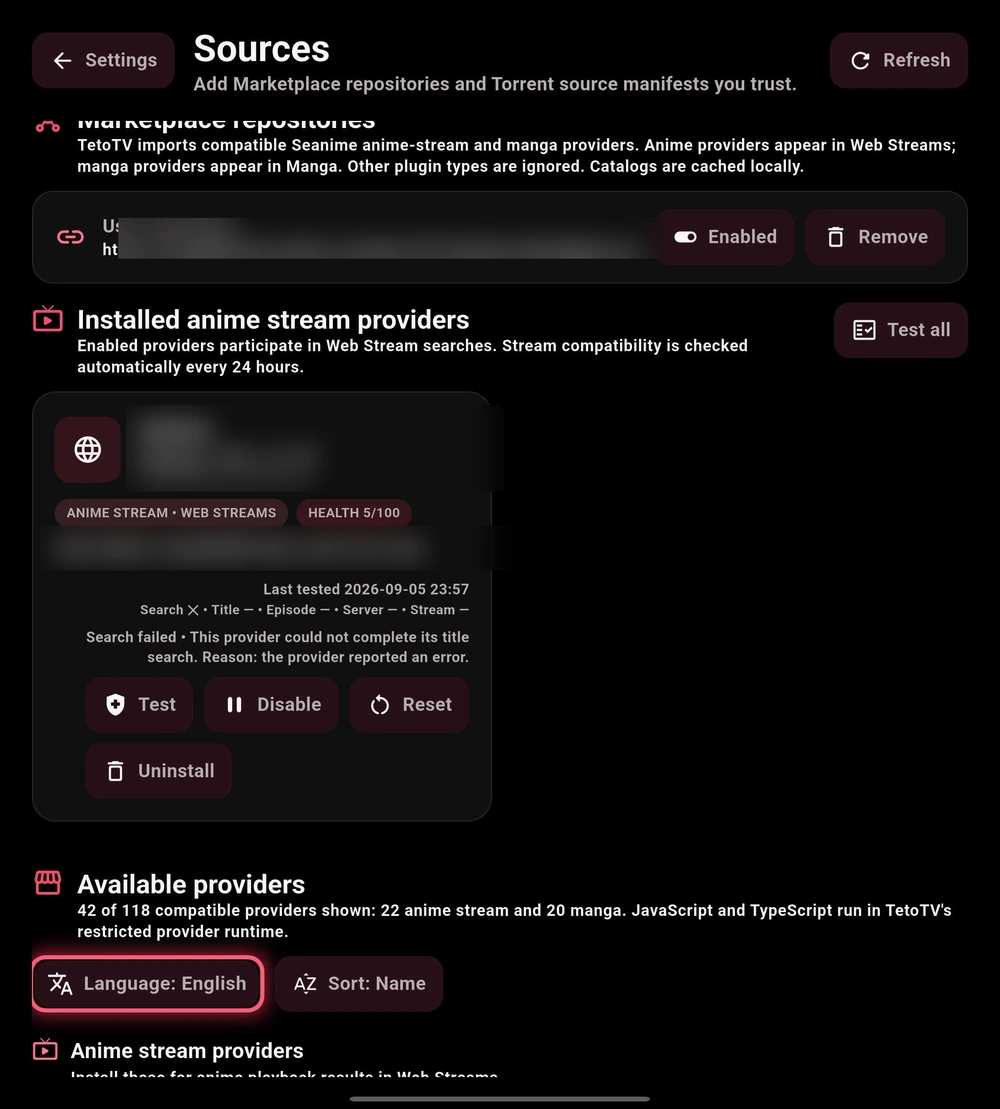
- Return to the installed-provider section. Check its enabled state, then test a title the provider is expected to support.

Keep your source list tidy
Use the controls available for each provider to enable, disable, update, or remove it. Refresh repository entries when you intend to retrieve their current catalog. Review compatibility results and test dates where available.
Start with a small number of known, working providers. Disable one at a time while troubleshooting; adding many unknown entries makes it harder to identify a failure. Source ranking preferences live in Settings → Services.