Choose a playback engine
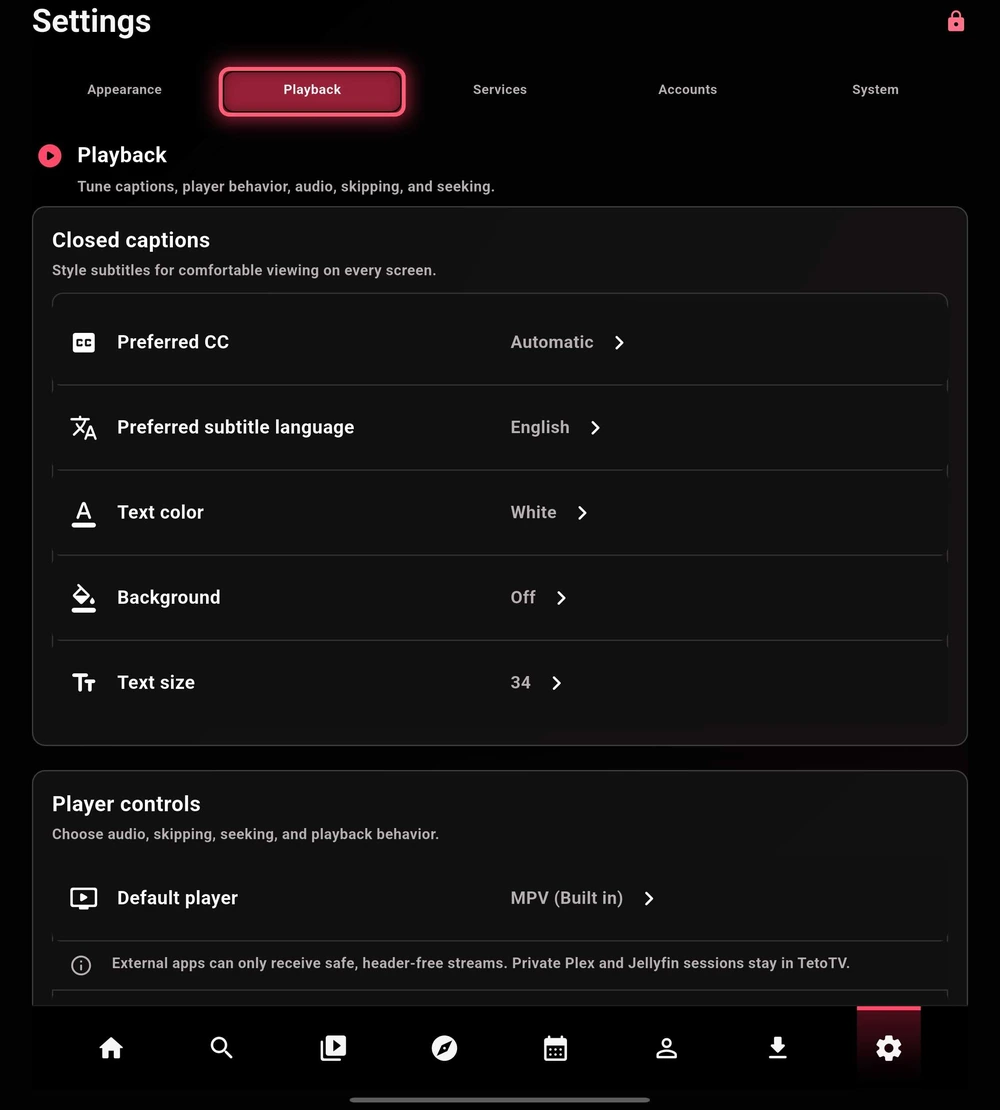
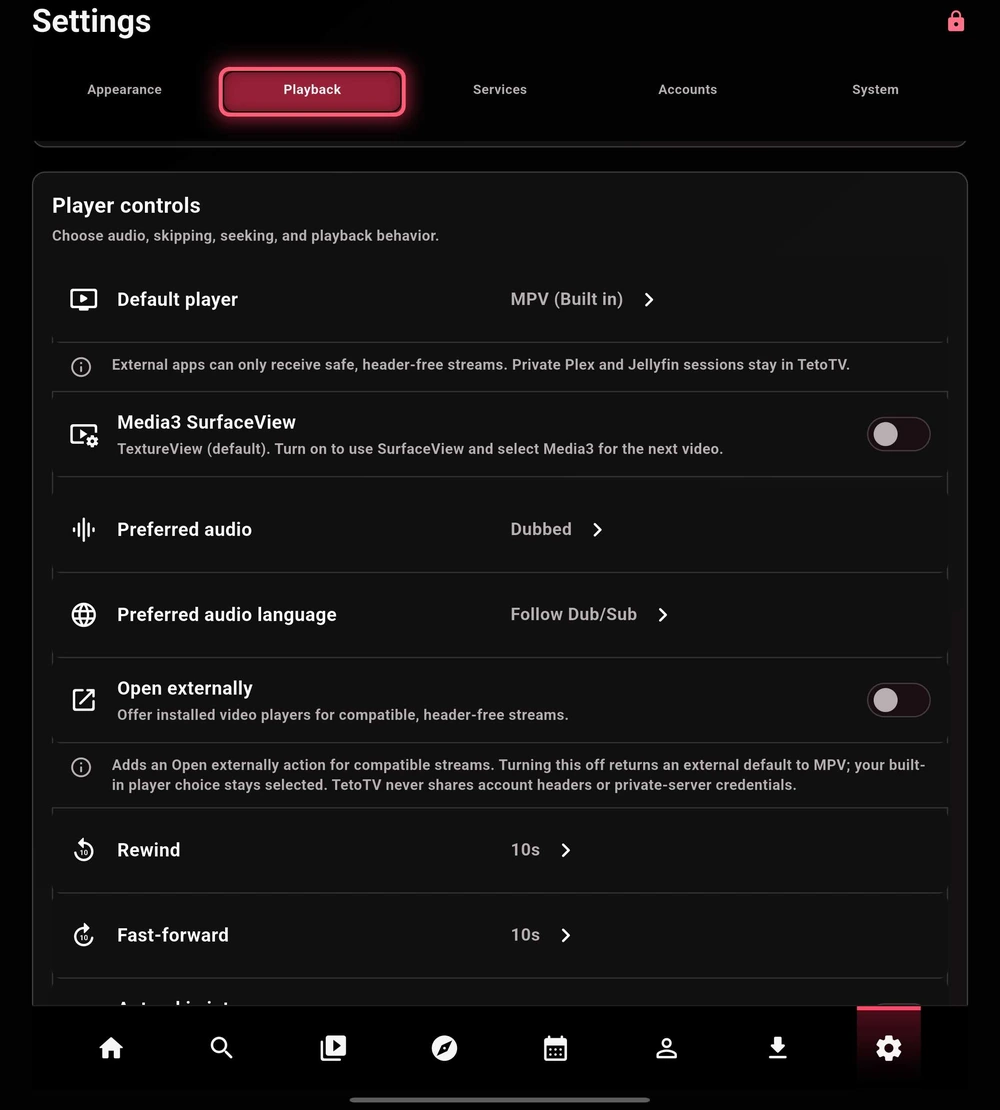
MPV is the default integrated player. Media3 (Built in) is an optional Android player. Changing the default affects the next video you open.
| Option | When to use it |
|---|---|
| MPV (Built in) | The default. Start here and keep it selected when playback is working well. |
| Media3 (Built in) | An alternative to test when your device or a specific file behaves better with Media3. |
| Media3 SurfaceView | An optional rendering mode for Media3. It does not change MPV and is not a universal fix for buffering. |
Captions & audio
Choose a Preferred CC mode: Automatic, On, or Off. Set your preferred subtitle language, then adjust text color, background, and size for readability.
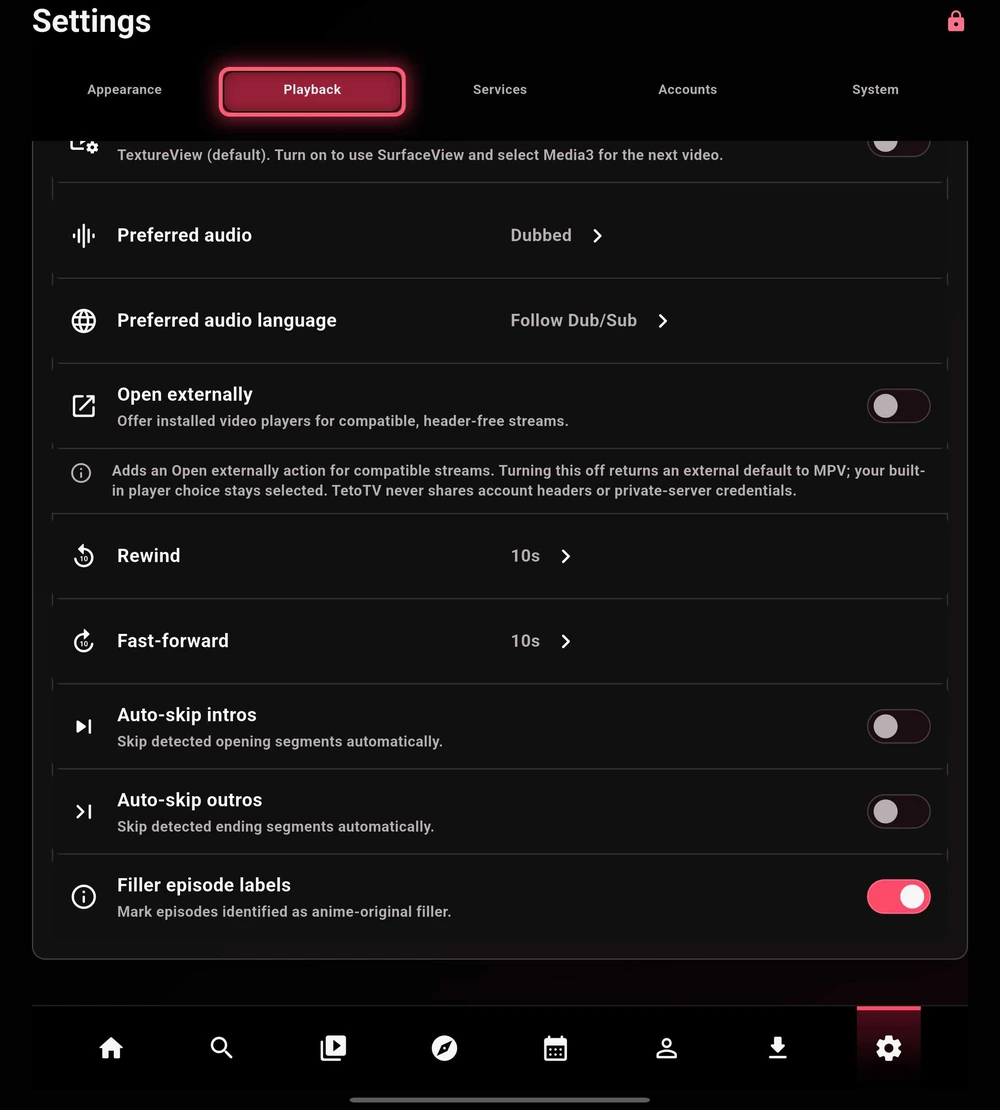
Preferred audio and audio language guide track selection. They cannot add an audio or subtitle track that the selected source does not contain. Explicit track choices in the player can be remembered between episodes.
Seeking & automatic skipping
Set rewind and fast-forward step sizes to match your remote and viewing style. Auto-skip intros and outros applies when matching skip timing is available; it is not guaranteed for every video. Filler episode labels are a separate display option.
External players
Open externally offers installed players for compatible, header-free streams. Private Plex and Jellyfin sessions stay in TetoTV, and the app does not hand account headers or private-server credentials to another player.